tatsu456
The apps I make, and how I think about them.
My name is Takayuki Takemoto, and I make apps.
Mostly, though, I build what I want for my own use,
and once it is finished I publish it as well — that is the order it goes in.
This site collects the descriptions of the apps I have published that way,
along with each one's privacy policy and where to get in touch.
Because of how they come about, there is nothing flashy about them. Counting things,
working out how much each person owes, deciding what to have for dinner tonight,
recording the days I stirred the nuka bed (nukadoko).
Each one takes on a small part of everyday life where I felt that
"a tool just for this would help, but it isn't worth going out of my way to look for one."
If you get stuck in the same places, I would be glad if you used them.
Rules I keep when making them
I put keeping these three rules ahead of making more apps.
Knowing them before you read about the apps should save you some time.
Do one thing only.
Adding features usually makes it take longer to get from opening the app to what you came for.
Even when someone tells me "it can't do this," I sometimes leave it out if it isn't the app's main purpose.
Keep what you enter on your device, as far as possible.
As a rule, records, notes and photos are stored only on the device you use.
None of the apps asks you to create an account.
Where an app does communicate with the outside, its privacy policy says what it sends and where.
Make sure there is never a day it stops working.
I avoid building things that depend on a server as much as I can, so that it is unlikely
a service will be shut down for my own reasons and leave you unable to read your records.
The apps work on a plane and on top of a mountain.
Guides (in Japanese)
Some of what I looked into while making the apps is useful even to people who don't use them,
so I have written it up as articles: what to go by when freezing food, pickling times in a nuka bed,
how to put your gear together from a mountain's altitude, the order in which fees apply when splitting a bill,
and more — 25 articles in four areas. They are written in Japanese only.
See the list of articles (Japanese) →
Apps

Yamajitaku — hiking packing checklist Available Japanese only
Builds what you need for that mountain from its altitude and the season
Reusing the same packing list every time can be dangerous.
Even on the same mountain, what you should carry is different in June, when snow still lies,
and around the first snowfall in October.
Yamajitaku builds the list from the altitude and the time of year,
and warns you when your trip falls at a change of season.
The weather forecast is on the same screen too.
It does not use your location (GPS); a mountain's coordinates come from the app's built-in data or are entered by hand.
The app's screens and content are in Japanese only, and it is sold on the Japanese App Store only.
Download on the Japanese App Store (free)
App Store (Japan)·
About Yamajitaku·
Privacy policy

Album Diet Available
Shrink your photos and videos in bulk and win back free space on your iPhone
An app for when your iPhone runs out of storage and you would rather not delete your memories to fix it.
It re-creates photos and videos at a smaller size, cutting the space they take
while leaving how they look almost unchanged.
One tap picks out only the items that would actually get smaller with the current settings,
and shows you the number first — "About 3.2 GB will be freed." You decide whether to go ahead after seeing it.
It can also tidy up bursts by keeping just one shot from each, trim the unwanted start and end off videos,
and clear out similar photos, old screenshots and the motion part of Live Photos in one go.
It makes no network connections at all.
Download on the App Store (free)
App Store·
About Album Diet·
Privacy policy

ABLooplay Available
From here to there, as many times as you like. Slow it down and the pitch stays the same
An app for repeating the few seconds you can't catch until you can.
Press A and B as you listen, and just the part between them plays over and over.
A waveform is shown, so you can see where a vocal line or a line of dialogue starts
while you set the points.
Speed goes from 0.5× to 2×, and the pitch does not change. A short pause (0.5 seconds by default) comes
between repeats, so you can try saying it yourself right after you hear it.
For pronunciation practice in a language, or for learning a part on your instrument by ear.
It also works as an everyday music player: songs are sorted by artist and album
using the information stored in them, and you can correct that information inside the app.
Basic practice is free, and there are no ads. Automatic splitting by sentence, any number of sections
and the equalizer are part of Pro (an in-app purchase).
The only time it goes online is when you search for or download podcasts.
Download on the App Store (free)
App Store·
About ABLooplay·
Privacy policy

Kondate Maker_EX — dinner menus Available Japanese only
Pick a meal shape such as ichiju-sansai, and a menu comes together from what's in season and ingredient costs
I think the reason a menu is hard to decide on is that there are too many choices.
In this app you first decide on a "shape," such as ichiju-sansai (one soup, three dishes)
or ichiju-nisai (one soup, two dishes).
Once the shape is set, all that is left is filling it in.
Keep a dish you like and redraw only the rest.
Plan several days at once and a shopping list is made at the same time,
along with a rough guide to the ingredient cost and the cost ratio.
It has 1,500 recipes built in and works offline.
The app's screens and content are in Japanese only.
Download on the App Store (free)
App Store·
About Kondate Maker_EX·
Privacy policy

Reitou Zukan Available Japanese only
An illustrated guide to how to cut each food, how to freeze it, and how to thaw it
You are standing in front of food you bought in bulk. Can this be frozen?
Raw, or boiled first? Thaw it in the fridge, or cook it straight from frozen?
I used to search for each of these separately every time; now they can be looked up for 181 foods.
Every step comes with an illustration.
For foods that don't freeze well, it also explains why.
The app's screens and content are in Japanese only.
Download on the App Store (free)
App Store·
About Reitou Zukan·
Privacy policy·
Terms of Use

Nuka Diary Available
You don't have to remember whether you stirred it
A nukadoko — a bed of fermenting rice bran used for pickling — gives back as much care as you put into it.
The hard part is not the stirring itself, but remembering
whether you have already stirred it today.
Nuka Diary takes over that job of remembering. Open it, tap once, and you're done.
"It smells like paint thinner." "There's a white film on top." "It's gone too sour."
Pick the symptom and you get the cause and the fix as numbered steps.
The estimated time until your pickles are ready changes with the day's weather and where you keep the bed.
Download on the App Store (free)
App Store·
About Nuka Diary·
Privacy policy

SplitBill_EX — multi-currency bill splitting Available
Card fees, tax and tip all included — it shows only who pays whom, and how much
Splitting the bill on a trip abroad or a group trip is a chore because the amounts
don't come down to simple division.
The currency is different, a card fee is added, tax and tip come on top separately,
and what's more, someone has paid for everyone.
SplitBill_EX calculates tax, tip and card fees
in the order the card company actually bills them.
Share a room ID and everyone on the trip can share the bills in real time.
What you get at the end is just a list of who pays whom, and how much.
Download on the App Store (free)
App Store·
About SplitBill_EX·
Privacy policy
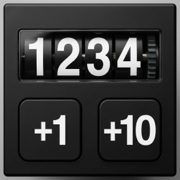
Counter1234 Available
A counter you can use without looking at the screen
Counting stock, counting traffic, counting laps.
At times like these, the biggest problem is that you can't press anything without looking at the screen.
Counter1234 counts with the volume buttons,
so you can keep your eyes on what you are doing, or even keep the phone in your pocket.
Counts can be saved under a name, and the records can be exported as CSV.
You can also switch to a full-screen view that shows just the number, large.
Download on the App Store (free)
App Store·
About Counter1234·
Privacy policy
Bugs, an app that isn't working properly, requests for how you would like something to work —
you can send any of these here. I run this on my own, so a reply may take some time,
but I read every message.
tatlink002@gmail.com
Operator
Takayuki Takemoto
Contact: tatlink002@gmail.com